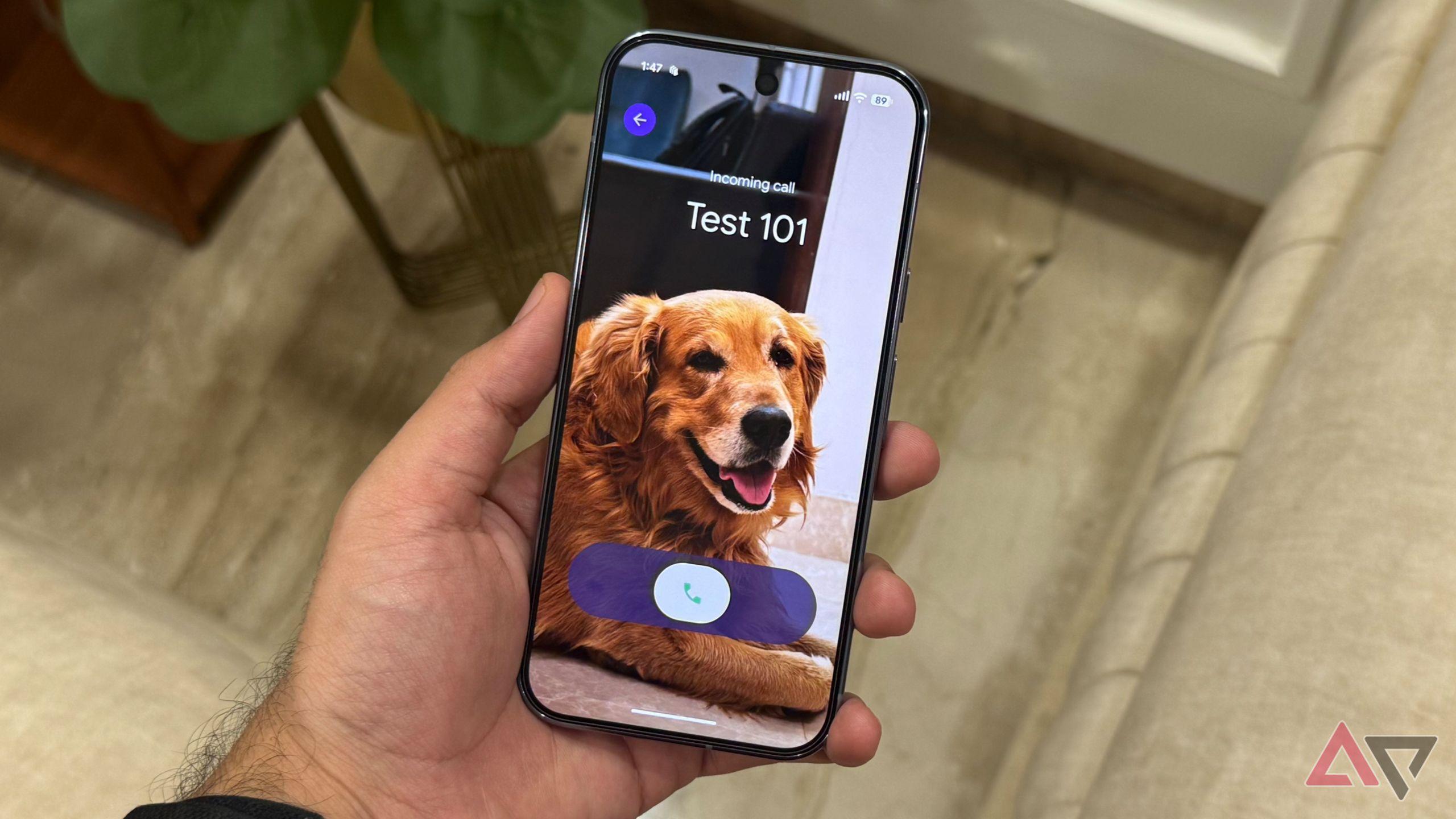
Google continues to expand the feature set of its Pixel smartphones with regular updates to both the Android operating system and device-specific capabilities through quarterly Pixel Feature Drops. Among the recent additions is custom calling cards, a feature that allows users to personalize how incoming calls appear on their devices.
Custom calling cards launched at the end of August 2025, though some users spotted the feature in beta versions of the Google Phone and Contacts apps in mid-August. The feature is currently exclusive to Pixel devices, but Google plans to roll it out to all Android devices in phases.
Custom calling cards are a feature within the Google Phone and Contacts apps that allows users to customize the display of specific contacts when they call. Users can modify the entire call screen, including the contact photo, the font used to display the contact's name, and the font color.
The customization options provide a way to create distinctive visual identities for different contacts. For example, users could assign specific color schemes or images that reflect their relationship with each contact or make important contacts more immediately recognizable.
Setting up custom calling cards is straightforward, particularly since Android now actively prompts users to customize calling cards when they open contact cards within the Android interface.
Open the contact card for the person you want to customize. This can be done by clicking the contact picture in the Phone app or finding the specific contact within the Contacts app.
Click the Edit button in the upper-right corner (represented by a pencil icon) to access the edit contact form. If custom calling cards are available on your device, the option to edit the calling card will appear directly next to the option to edit the contact's picture.
Google is currently promoting the feature prominently, so many users will see a prompt to customize calling cards when opening any contact. However, this promotional prompt may not be permanent, so users should familiarize themselves with the standard access method through the Edit button.
The custom calling card interface will first prompt you to select a picture. You can choose an image from your Gallery app, Google Photos app, or take a new picture directly within the custom calling card interface.
After selecting an image, you can modify the font style and color of the contact's name as it appears during incoming calls. The interface offers nine different fonts and 20 color options. Additionally, slider bars allow you to adjust the width, weight, and roundness of the font for more precise customization.
Google plans to expand the feature to allow users to customize their own calling cards as they appear on other users' devices. This would transform phone calls into a more social media-like experience, where users can express their identity through their calling card design.
This bidirectional customization would represent a significant evolution of the traditional phone call interface, adding a layer of personalization that has been largely absent from voice communication in the smartphone era.
In an era where most new smartphone features emphasize productivity improvements or AI-powered functionality, custom calling cards stand out as a feature designed purely for enjoyment and personalization. The feature provides no operational efficiency gains but allows users to add personality to their communication experience with friends and family.
The feature represents Google's continued effort to differentiate the Pixel experience through software enhancements that leverage the company's control over both the Android operating system and the Pixel hardware platform. As the feature rolls out to additional Android devices, it will become a standard part of the Android calling experience rather than a Pixel exclusive.